The key points from this article
- Back and neck ergonomics are often the difference between an easy day and an exhausted evening.
- Maybe you sit for eight hours, then another hour in the car.
- For a personal choice, continue with a recommendation after reading.
Products most closely related to this topic
If you want to compare concrete options after reading, these products are the closest match to the article topic.
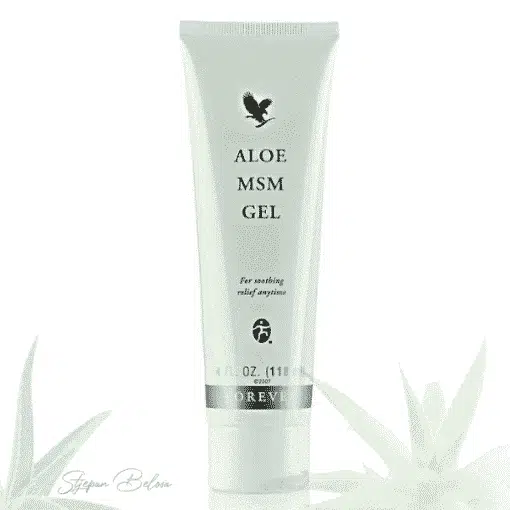 Aloe MSM Gel
A practical outer-care product when the goal is skin comfort and a simpler care routine.
Closest to a care routine for skin, hair or everyday personal care. Arctic Sea Omega
A supplement for energy, heart and circulation routines when you want longer-term daily support.
Useful to compare when you are looking for energy, focus or vitality support. Forever Active HA
Support for a mobility routine when joints, movement and everyday flexibility are the topic.
Useful to compare when joints, bones or mobility are the topic.Back and neck ergonomics in the workplace: a practical guide
Back and neck ergonomics are often the difference between an easy day and an exhausted evening. Maybe you sit for eight hours, then another hour in the car. Maybe you work from home at the kitchen table. The body remembers the positions you repeat. That is why tension in the neck and lower back often appears only after work. Here's the thing: you don't need perfect gear. You need cleverly put together basics. In this guide you will get clear steps for chair, screen, keyboard and breaks. You will also get mini routines that fit into every day. Even better, you can make most of the changes today. And no, you don't have to be the sporty type. You just have to be consistent. Your body will feel it quickly. Let's go, step by step.
Why does your back and neck hurt, even though you are"just sitting"
The biggest problem is not sitting in itself. The problem is static sitting. Muscles hold the body in one position. Blood flow then becomes slower. Joints get less"micro-movements".
In addition, many unconsciously push their head towards the screen. This is the so-called"head forward"position. The shoulders close. The chest is shortened. The upper back then does double duty.
You may be wondering how common the problem is. One literature review reported high rates of neck pain in computer users. See summary ina review of research on neck pain associated with computer work.
There is another trigger. Stress changes breathing. Breathing becomes shallower. Jaw clenches. Shoulders are lifted, without question.
Quick test in 60 seconds: check your position
Before setting up, do a quick check. No gadgets needed. You just need attention.
- The feet: are they completely on the floor or higher?
- Knees: are they approximately at hip level?
- Elbows: are they close to the body or do they"fly"to the side?
- The head: is the chin slightly tucked in or pushed forward?
- Breaks: do you get up at least once every 30 to 60 minutes?
If three answers are"no", you have a great opportunity. The biggest gain comes from the little things. Sound too good? Continue reading.
Ergonomic set-up in 10 minutes: the gold standard for back and neck
1) The chair is the foundation: height, depth and backrest
Start from the height. Adjust the chair until the feet are firmly in place. Knees should be about 90 to 100 degrees. If you don't reach the floor, add a base.
Then check the depth of the seat. Leave 2 to 3 fingers of space behind the knees. A seat that is too long pushes the pelvis forward. Then the cross quickly protested.
The backrest should support the natural curve of the back. If you don't have lumbar support, a rolled towel helps. Place it at belt level. Not too high.
Want an additional check of the most common mistakes? Read the guideproper seating and ergonomics and compare it with your habits.
2) Table height: where the tension in the shoulders disappears
The table should be at elbow height, while you sit relaxed. The shoulders should"fall"down. If they are raised, the neck works harder. If they are too low, you will slouch.
Use a simple test. Place your forearms on the table, effortlessly. If you have to"hold"your hands, something is wrong. The forearms should have support.
3) Monitor: height, distance and light
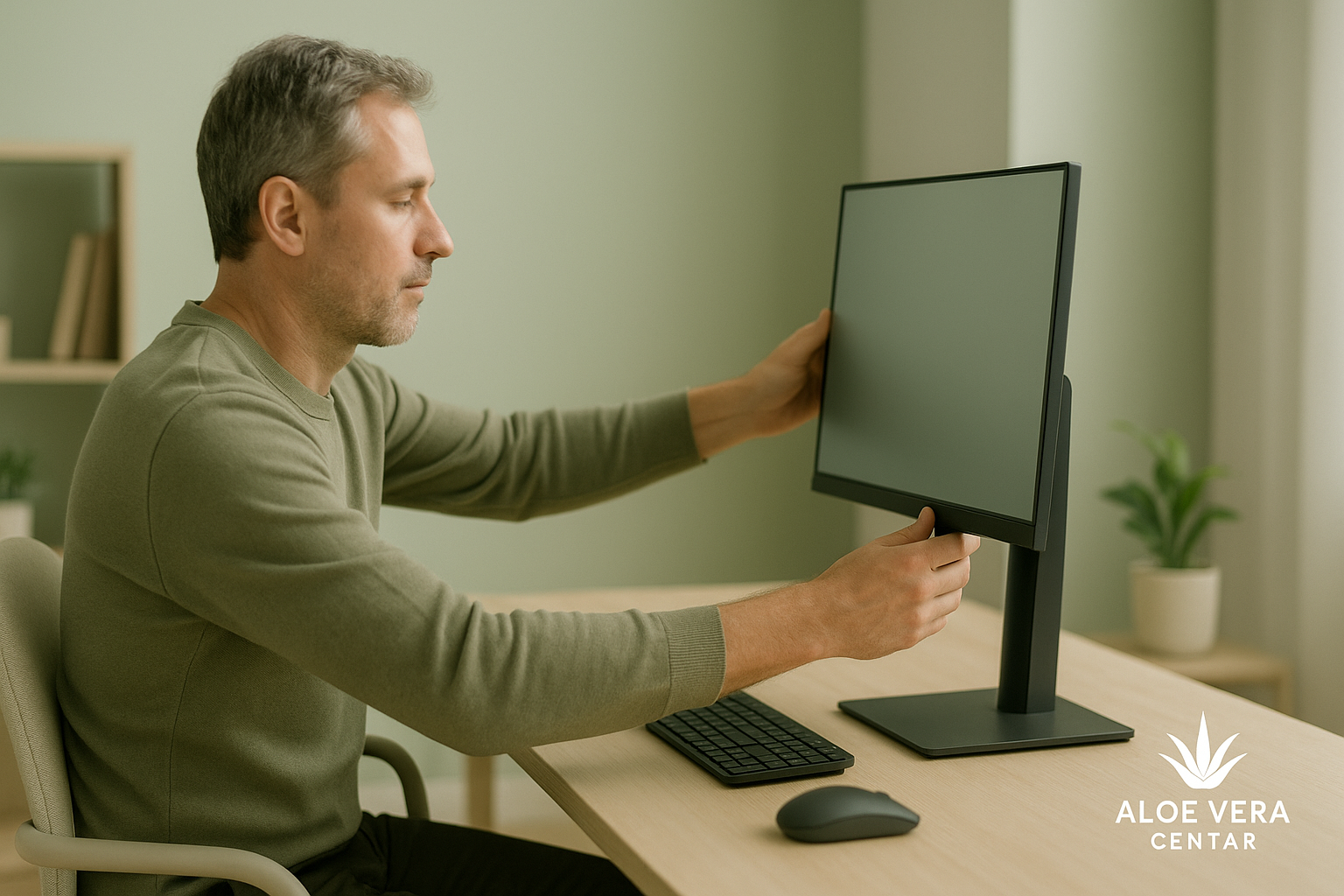
Place the monitor straight in front of you. Let the distance be an arm's length. The top edge of the screen should be at eye level, or a little lower. Thus the neck remains neutral.
If you want precise guidance with numbers, take a lookMayo Clinic Guide to Office Ergonomics.
Do you wear progressive or bifocal glasses? Your monitor will often be set too low. Then you unconsciously raise your chin. Lower the screen a little and bring it closer.
If you work with two screens, place the main one straight in front of you. The auxiliary screen should be next to it, at a slight angle. Avoid constant turning of the door. If you have to, move the chair, not the chin.
Light is often overlooked. The strong light behind the screen tires the eyes. Then you approach the monitor. That pushes the head forward again. Choose a softer side light.
4) Keyboard and mouse: small details, big consequences
The keyboard should be close enough. Elbows stay close to the body. Keep your wrists straight. Do not allow the wrist to"break"upwards.
Keep the mouse close to the keyboard, not far to the side. The further it is, the more you pull your shoulder. If you do a lot of clicking, a larger pad makes it easier. There will be less recoil.
5) Laptop and mobile phone:"office"that travels
Working on a laptop is a trap, because the screen is too low. Raise the laptop on books or a stand. Add an external keyboard whenever you can. Your neck will thank you.
There is one rule with mobile phones. Raise the screen to your eyes. Lower your chin just a little. Your neck is not a phone holder.
The most common mistakes in offices and quick solutions
Some mistakes are so common that you almost expect them. The good news is that you can get rid of them right away. You don't need new furniture. You need a plan.
- The chair is too low: raise it and add a footrest.
- The screen is sideways: turn it straight in front of the nose.
- The phone is between the shoulder and the ear: use headphones or speaker.
- Hands hanging in the air: bring the keyboard closer and support your forearms.
- The bag is always on the same shoulder: switch sides, or use a backpack.
You may be wondering what the fastest"hack"is. It's a screen lift. This often reduces tension in the neck. Try it today.
Formula for less pain: 30-3-30 and the eye rule
The best ergonomics fall into the water if you don't move. The body loves change. That's why a simple formula is useful. It is easier than big plans.
- 30 minutes: sit focused and stable.
- 3 minutes: stand up, walk or stretch your chest.
- 30 seconds: two deep breaths, then relax your shoulders.
For the eyes, add the 20-20-20 rule. Look into the distance for 20 seconds every 20 minutes. Eyes rest. Then the neck also relaxes.
Need ideas for breaks that restore concentration? Read the article aboutwellness breaks and try a mini ritual.
A 6-minute mini-routine for the neck, shoulders and upper back
You can do this routine in the office. You can also at home. No need to change clothes. It just needs consistency.
- Retracted chin: 8 repetitions, slowly, without throwing back the head.
- Squeezing the shoulder blades: 10 seconds, then relax, a total of 5 times.
- Opening the chest on the doorpost: 30 seconds each side.
- Upper back rotation: 6 repetitions each side.
- "Angels"along the wall: 6 repetitions, without pain, with calm breathing.
Here's the trick: do everything at 70% intensity. A lot of people go too rough. Then the body defends itself. The goal is relief, not proof.
The lower back loves the hips: the solution is often below the belt
When they have lower back pain, many people immediately blame the spine. Hips are often to blame. Hip flexors shorten from sitting. The glutes become"asleep". The cross is then compensated.
Throw in two simple things. The first is hip flexor stretching, 45 seconds per side. The second is the bridge for the glutes, 10 repetitions. Do it before showering.
Do you want a routine tailored to your day and work? Try oursAI advisors and get a suggested step, without complications.
Meetings, calls and"static"standing
Meetings are an often underestimated source of tension. Sit and do not change your position. You often look at one point. And you often shrug your shoulders, without noticing.
Make one change during the call. Stand and walk around the room. Or sit on the edge of a chair, with both feet on the floor. This immediately activates the hull.
If you are standing in a meeting, be careful not to block your knees. Stand softly, with weight on both feet. Switch the leg forward every minute. Small changes keep the cross.
When pain is"normal"and when it is a warning signal
Mild tension after sitting for a long time is common. It usually calms down with movement and warmth. But there are situations when you don't need to wait.
- Pain that spreads to the arm or leg, with tingling.
- Weakness in the hand or foot.
- Pain after a fall or blow.
- Night pain that wakes you up, or gets worse.
- Fever, unexplained weight loss, or severe stiffness.
In these cases, contact a doctor or physiotherapist. Pain is sometimes not"ergonomics". Sometimes it's something else. It's better to check.
What science says about risk factors in the workplace
Ergonomics is not just a"nice pose". It is a modifiable risk factor. A systematic review of research analyzes working conditions and neck pain. The focus is on computer users.
If you want an expert literature review, read ona systematic review on occupational factors associated with neck pain. Then compare the findings with your habits.
The key message is simple. Hourly wages and stress are not the only problem. Repetitive positions are also a problem. Lack of breaks is also a problem. That's why a small plan becomes a big change.
Smart support after work: relaxation, care and a little"reset"
After a working day, the body needs a signal that it is done. A short walk helps. A hot shower helps. And a few minutes of stretching often helps.
For many, it is practical to have a gel for topical care. An example isAloe MSM Gel, which can be used with a light shoulder massage.
If you're thinking about joint and connective tissue support, some choose supplements likeForever Active HA. This is often the theme of stiffness and a feeling of"tightness".
For nutritional support, omega-3 fatty acids are a common choice. One example isForever Arctic Sea Omega, which fits into the mealtime routine.
It is important to be careful if you are taking therapy. Especially if you have chronic diseases. A helpful guide is the how-to textsafely combine Forever products and therapy.
Frequently asked questions
Is it better to work standing or sitting?
It is best to combine. Standing all day puts a strain on your legs. Sitting all day puts strain on the back. Position rotation gives the best effect.
What if I work on a laptop without additional equipment?
Raise the laptop on the books, if only temporarily. Add an external keyboard when you can. And take more frequent breaks, because the position is more demanding.
How soon can I feel the change?
Some feel relief the same day. Most people notice a difference within 7 to 14 days. The key is consistency and small adjustments.
Do I need an"ergonomic"chair cushion?
Sometimes it helps, but it's not magic. First adjust the height of the chair and the monitor. Only then add support if you still feel pressure.
Bottom line: small moves, big difference
Back and neck ergonomics are not a luxury. It is the daily hygiene of the body. Adjust the chair, raise the screen and bring the keyboard closer. Then insert short breaks. Add a mini routine at the end.
For inspiration on modern technology and AI, take a look at this story. Read the article"How this couple is building a global business with AI and working 95% online".
Note: This article is informative and is not a substitute for medical advice. For severe pain, tingling or weakness, contact your doctor or physiotherapist. For supplements and therapy, follow professional recommendations.
Products most closely related to this topic
If you want to compare concrete options after reading, these products are the closest match to the article topic.
Aloe MSM GelA practical outer-care product when the goal is skin comfort and a simpler care routine.
Closest to a care routine for skin, hair or everyday personal care.Arctic Sea OmegaA supplement for energy, heart and circulation routines when you want longer-term daily support.
Useful to compare when you are looking for energy, focus or vitality support.Forever Active HASupport for a mobility routine when joints, movement and everyday flexibility are the topic.
Useful to compare when joints, bones or mobility are the topic.Short answers that help
If you are still comparing options, these are the points worth checking before you continue.
What should I take from this article?
Use it to understand the topic in practical terms and compare it with your current routine, needs and next step.
When does it make sense to ask for a recommendation?
Ask when the topic feels relevant, but you are not sure which Forever Living Products product or routine fits you best.
Does this article replace professional advice?
Back and neck ergonomics: a practical guide for the workplace is educational content. For medical conditions, medication, pregnancy or persistent symptoms, include qualified professional advice.
Describe what you want to achieve
If you do not know which product to choose, write your goal, habits or doubts and get a more concrete suggestion.
Recommended products


Related articles to keep exploring